
My second week on IBKR Mobile nearly cost me a position
A 100-share stock order costs $0.35 in commission on IBKR Tiered pricing, and a 5,000-share order costs $17.50. That spread, and the fact that the app lets you configure almost every part of the order, is why Interactive Brokers suits people who trade a few hundred shares at a time more than people who buy a handful of names once a year. It also makes IBKR Mobile feel unlike the retail apps most people learn on. The mistake I would most want a new user to avoid is a typo in the quantity field of a bracket order. The order preview screen catches it, but only if you read it before you tap submit, and that one habit is worth more than any setting in this guide. You can open an IBKR account here.
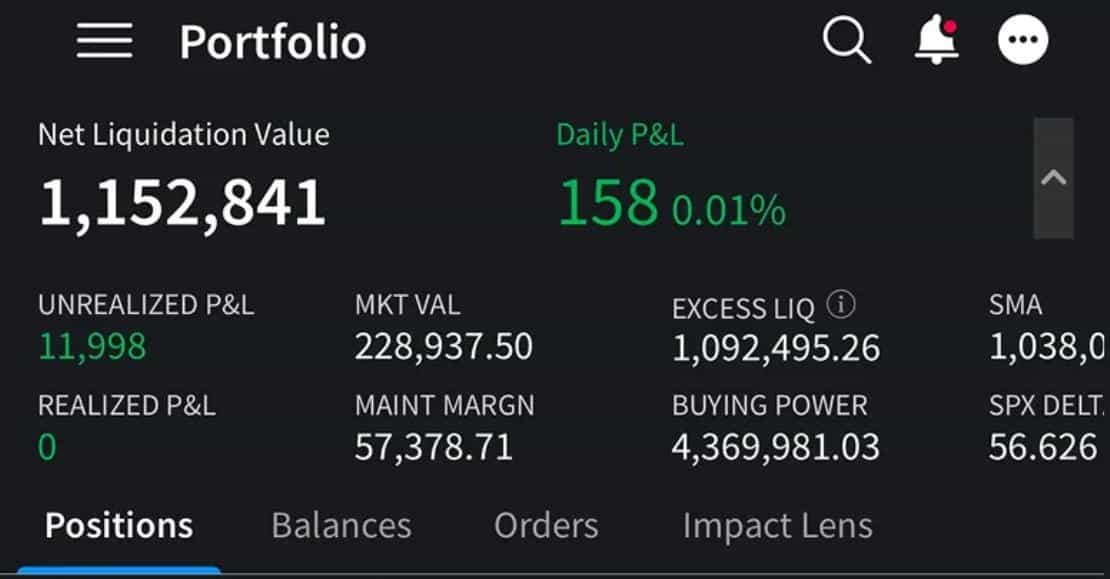
What follows takes the app in the order you will meet it: login and security, the layout, the order ticket and the six order types that matter, options tools, fees, the 2026 margin change, and the mistakes beginners repeat. It reads the app the way a working user would, not the way the marketing page does. Menu labels shift between versions, so treat screen names as a guide rather than a script.
Getting started: login and two-factor
IBKR Mobile is on the App Store and Google Play. On first launch it offers two paths: register a new account, or log in to an existing one. If you’re already a client, tap “I Have an Account” and enter your credentials.
Set up two-factor authentication before you deposit anything meaningful. IBKR’s Secure Login System works with IBKR Mobile Authentication (also called IB Key), which turns your phone into the approval step: you log in from your desktop, and a push notification on your phone approves it, with no code to type. Treat this as mandatory. One of the most avoidable ways to lose money, with nothing to do with the market, is running a funded brokerage account with no 2FA.
| Security feature | What it does | Setting |
|---|---|---|
| IBKR Mobile Authentication (IB Key) | Push-notification login approval from your phone | Enable before first deposit |
| Biometric app lock | Face ID / fingerprint to open the app | On |
| Trade confirmations | Email or SMS alert on every fill | On |
| Login alerts | Notification on any new-device login | On |
| Device passcode + remote wipe | Protects the phone itself if lost or stolen | On, in your phone’s OS settings |
The core interface
You’ll spend most of your time in the bottom navigation bar: tabs for Portfolio, Watchlists, Trade and Discover (sometimes labeled Explore), plus an account menu behind a hamburger icon or your avatar.
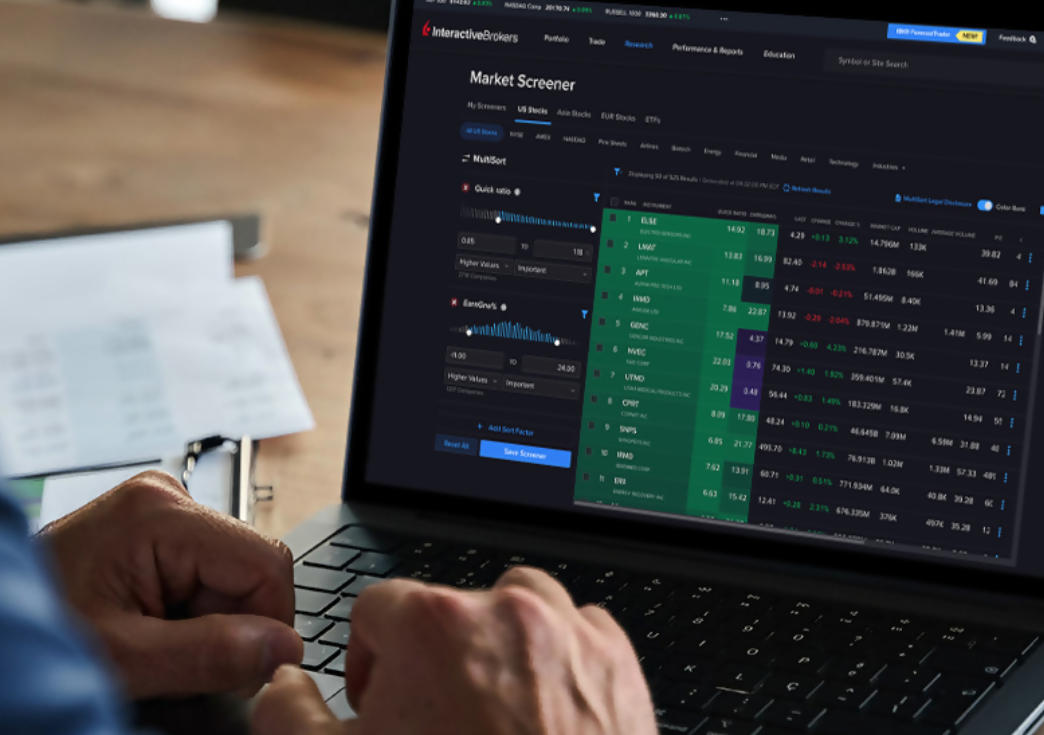
- Portfolio: current positions, daily P&L, net liquidity, market value, realized and unrealized gains per position. Tap any holding for its chart and history. If you trade on margin, this is where available funds, margin requirements, excess liquidity, and your SMA (Special Memorandum Account) balance live. If the IBKR interface isn’t for you, Moomoo is a simpler alternative.
- Watchlists: your own lists of tickers. A workable split is three lists: core long-term holdings, active swing-trade candidates, and a “watching for entry” list of names tracked against specific technical levels.
- Trade: order tickets, and BookTrader, IBKR’s quick-click tool showing the live bid/ask ladder so you can click a price to place an order. Useful for active intraday trading, largely irrelevant if you’re adding to positions once a month.
- Discover / Explore: scanners, news, and research, including IBKR’s news summaries and thematic groupings of related companies and sectors. Handy for sector-level rather than single-stock work. If scanners are your main use, I compared the standalone options in best stock screener tools for retail investors.
The order ticket
This is where beginners get lost, because the IBKR ticket exposes more configuration than a typical retail app. The order types that matter:
| Order type | What it does | When it fits |
|---|---|---|
| Market | Fills immediately at the best available price | Highly liquid large caps only; never on thin volume |
| Limit | Fills only at your price or better | Default for almost every order |
| Stop | Becomes a market order once the trigger hits | Stop-losses on positions you can’t watch |
| Stop-limit | Becomes a limit order once triggered | Volatile or thin names, to avoid a bad stop fill |
| Bracket | Links entry, stop-loss, and take-profit in one order | Swing trades: sets risk management at entry |
| Conditional | Triggers based on a different security or index | Occasionally, for sector-correlated setups |
Before you submit, the order preview screen estimates commission and buying-power impact and summarizes exactly what you’re about to do. This is the screen I mentioned at the top. Read it on the fifth trade and again on the five-hundredth. Complacency at that screen is how oversized orders get through, and a quantity error on a bracket order sends all three legs out wrong at once.
Options on mobile
The app includes an Options Wizard for building strategies and an Option Spread Grid for visualizing multi-leg trades (spreads, straddles, strangles) before you commit, assuming you’ve been approved for options. That approval is a separate tier IBKR grants based on your experience and finances, since options carry amplified, nonlinear risk.
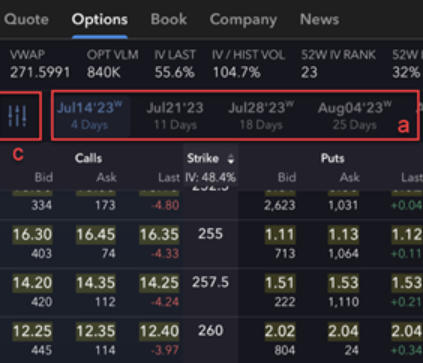
Consider a hypothetical bull call spread on a mid-cap semiconductor name: buy the $45 call, sell the $52 call, same expiration, for a net debit of $2.15 per share. The Option Spread Grid shows the combined payoff before you submit. Maximum profit is $4.85 per share, or $485 per contract, which is the $7 spread width minus the $2.15 debit. Maximum loss is the debit, $2.15 per share or $215 per contract. Those numbers are illustrative, not a trade recommendation. For a real order with real prices, my BIDU walkthrough places a cash-secured put from Trader Workstation and shows the same flow. IBKR’s options tiers run from simple covered strategies up to complex multi-leg and naked options, weighted by account size, experience, and stated goals.
Fees
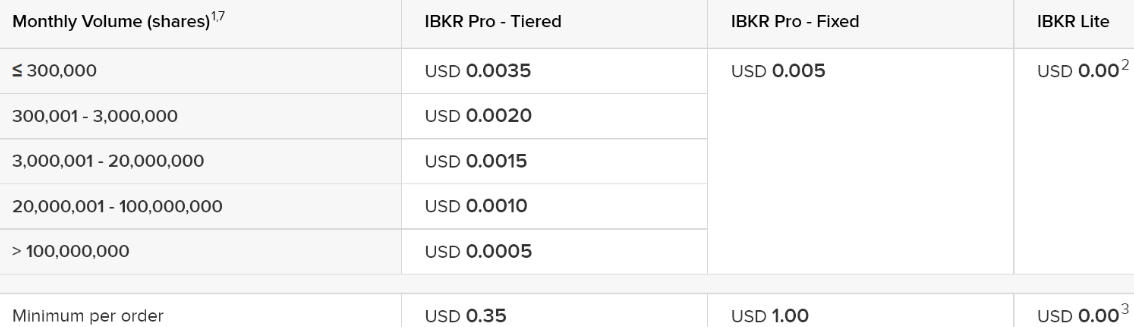
IBKR’s Tiered pricing charges per share, and once you understand it, it’s one of the more transparent models in the industry.
| Component | IBKR Tiered pricing (US stocks) |
|---|---|
| Commission per share | $0.0035 |
| Minimum per order | $0.35 |
| Maximum per order | 1% of trade value |
| Options per contract | Tiered, roughly $0.15–$0.65 by volume |
| Inactivity fee | None on the current tiered structure for most account types |
| Market data | Free delayed; real-time streaming needs a subscription |
That’s the Tiered plan. Some account types can also use Fixed pricing: a flat $0.005 per share, no minimum. Rates change, so check the current schedule in the app under Account Management before relying on any of these numbers.
Margin, day-trading rules, and a 2026 change worth knowing
If you trade actively, there’s a FINRA change to intraday margin rules for 2026 that would replace the old Pattern Day Trader definition and its flat $25,000 minimum. Instead of counting same-day trades, it tracks account equity against actual intraday positions and flags when an account is short of what it needs to cover them.
Read that as a green light to overtrade and you’ve misread it. IBKR still applies its own rules regardless of the federal framework: product permissions, minimum equity requirements, risk-based intraday limits, maintenance margin, and liquidation policies. Check your specific account’s margin rules in the app rather than assuming a regulatory change loosened what your broker allows.
Portfolio monitoring and PortfolioAnalyst
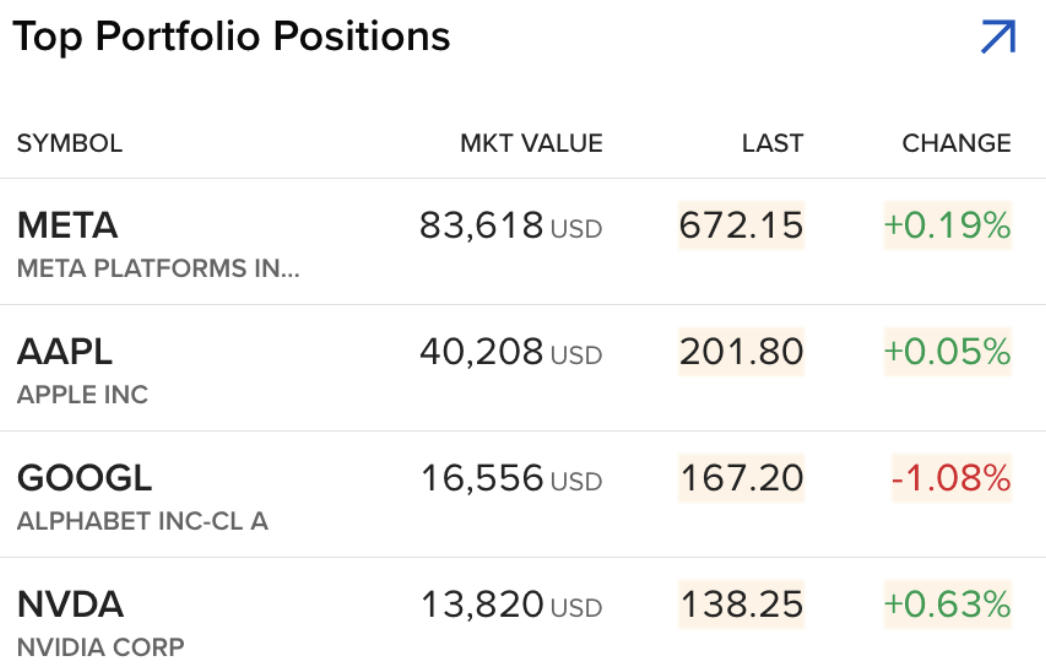
Beyond the Portfolio tab, IBKR has PortfolioAnalyst, a deeper reporting tool that aggregates performance, allocation, and risk metrics, and it’s more capable than what most retail apps offer natively. A monthly look is enough, and daily is too often; looking at portfolio-level analytics too often encourages the reactive trading that erodes returns.
| Tool | Best for | How often |
|---|---|---|
| Portfolio tab (daily P&L) | Quick position check | Daily, if actively trading |
| PortfolioAnalyst | Allocation, risk, long-run performance | Monthly |
| Real-time alerts | Price triggers, news on watched tickers | Ongoing, as configured |
| Statements (Account Management) | Tax documents, historical activity | Quarterly / at tax time |
Where beginners actually get tripped up
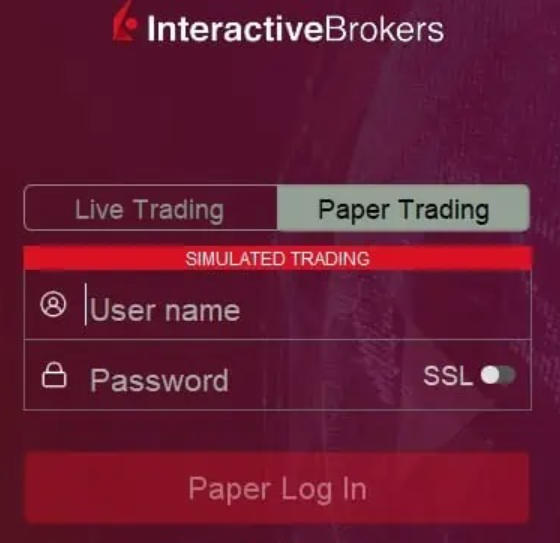
Confusing paper trading with the live account. The paper-trading mode is useful for learning the order ticket without risking capital. The recurring mistake is building confidence in paper trading and then going live at full size, without accounting for how differently you behave with real money. Start smaller than you think you need to.
Not understanding SMA. Your Special Memorandum Account balance isn’t your cash balance, and margin-inflated “available funds” can look far larger than what you should actually risk. Treat the buying-power number as a ceiling you rarely approach, not a target.
Market orders on thin volume. On a mega-cap, a market order fills near the quote. On a small cap with a wide spread, the same order can fill well away from where you expected. Default to limit orders unless you have a specific reason not to.
Skipping the order preview. It comes up twice in this guide on purpose. It is the highest-value habit here and the easiest one to lose after a few hundred uneventful trades.
Common questions
Is IBKR Mobile too advanced for a complete beginner? It’s more configurable than apps built for first-timers, so the initial learning curve is steeper. But the basic buy/sell flow for a simple stock purchase is straightforward once you’ve done it once or twice. If the full app feels like too much, IBKR also offers GlobalTrader, a simplified companion app for newer investors covering stocks, ETFs and options in a cleaner layout.
Can I trade options entirely from my phone? Yes, including multi-leg strategies via the Options Wizard and Option Spread Grid. The desktop platform (Trader Workstation) has deeper scenario analysis, but for placing and managing standard options positions, mobile is fully capable.
What if I lose my phone and it has IB Key set up? You can usually recover access through the Client Portal by verifying your identity another way, deauthorizing the lost device, and setting up authentication on a new one. This is exactly why device-level security (passcode, biometric lock, remote wipe) matters as a second layer.
Is there an inactivity fee? Under the current Tiered pricing, most account types don’t have a standalone inactivity fee, a change from IBKR’s older schedule. Confirm current terms in Account Management rather than trusting anything written here indefinitely.
Do I need BookTrader? Only if you’re trading actively and want to click straight into the live bid/ask ladder. For monthly contributions or occasional trades, the standard order ticket does everything, and BookTrader’s speed isn’t worth the added complexity.
None of this replaces IBKR’s own current documentation. Fee schedules, margin rules and features shift faster than one article can track, so confirm anything that touches your money in Account Management. The learning curve is real but front-loaded: the first few weeks feel more complicated than they should, and after that the app is fast and highly configurable for a phone. If the tiered fee table is the part that convinced you, run your own typical order size through it first. That is the number I would check before funding the account.
Financial disclaimer: The content on StockVane is for educational and informational purposes only and should not be construed as professional financial advice. Stock market investing involves risk of loss.