
Most stock rating tools ask for something before they’ll show you anything, an email address, a free trial that quietly becomes a paid one, or at minimum an account you have to create and remember a password for. StockVane is taking the opposite approach with the latest version of its Quant Rating Tool, now live on the site with real-time scoring on any publicly traded stock, open to anyone, with no signup step in the way.
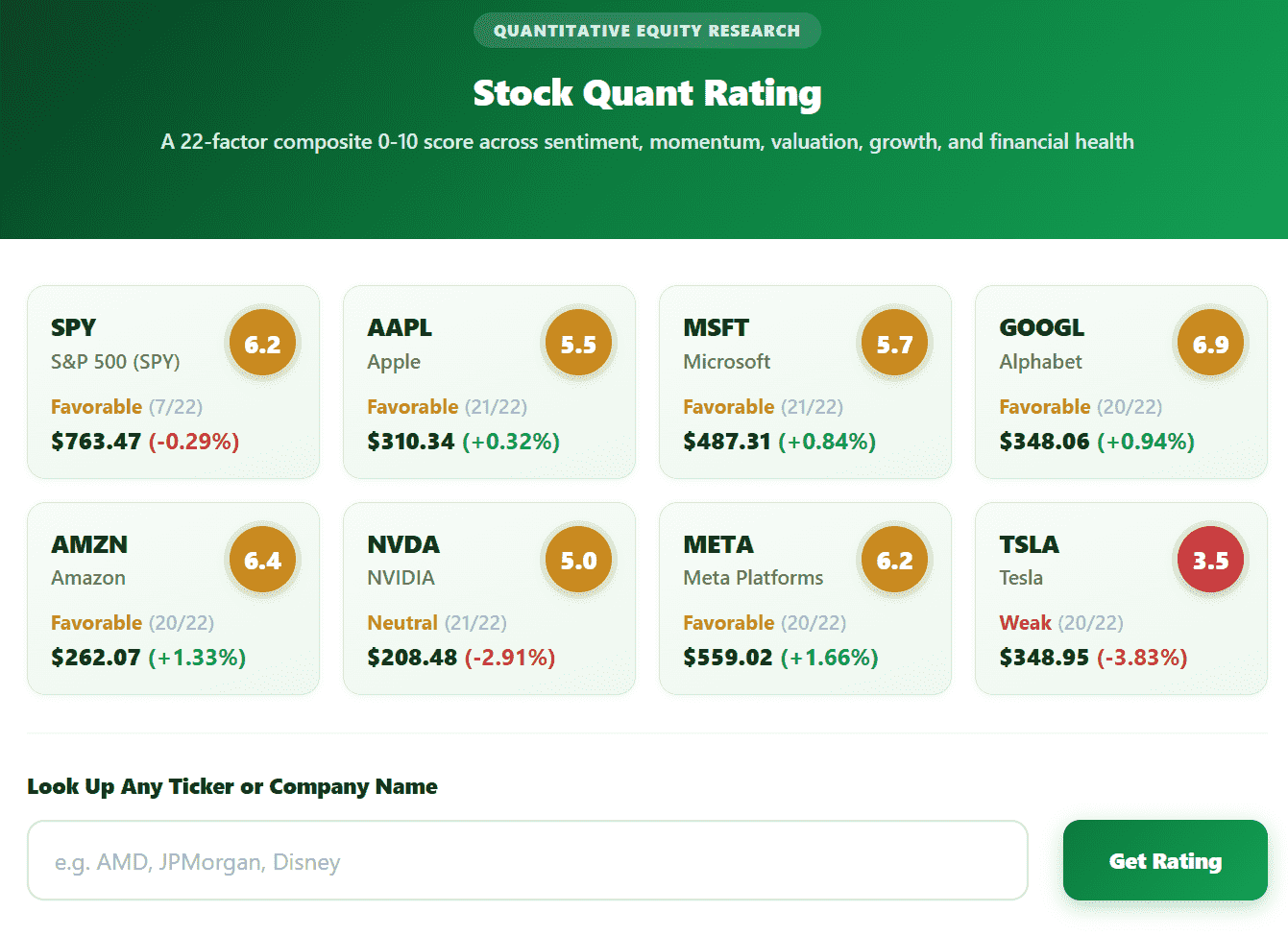
The bigger change under the hood is how the score itself gets built. Instead of a single fixed formula applied to every stock the same way, users can now adjust the weighting behind the rating directly, growth, valuation, momentum, and profitability can each be pushed higher or lower depending on what kind of investor is looking at the number. A trader focused on short-term momentum and a retiree screening for steady, undervalued dividend payers were never going to want the same formula, and the previous version forced both of them to use one anyway.
Push the Momentum slider up and pull Valuation down, and a stock trading at a rich multiple but trending hard can suddenly outscore a cheaper name that is going nowhere, that is the point, not a bug. Flip the two back the other way and the same two stocks can swap places on the list. The tool does not tell you which weighting is correct, because there isn’t one correct answer across every investor; it just makes the tradeoff visible instead of hiding it inside a formula nobody can see.
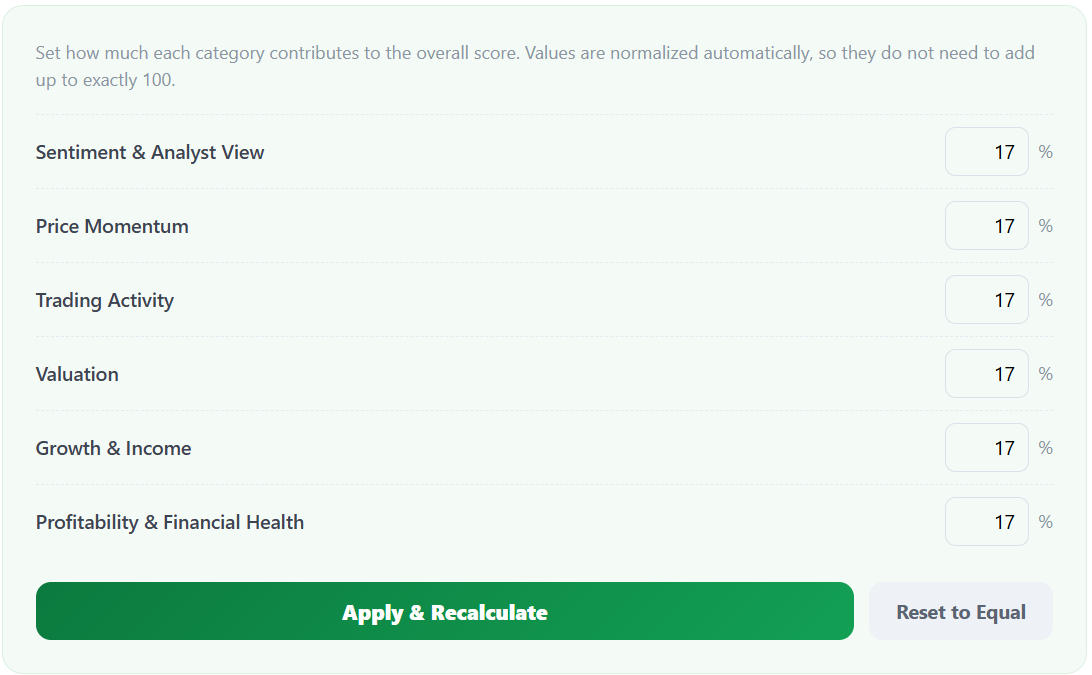
Ratings recalculate instantly as the sliders move, letting a user watch a stock’s score shift in real time rather than requesting a new report and waiting for it to load. Custom weighting presets can also be saved, so switching between a value-focused setup and a momentum-focused one takes a click rather than a rebuild. None of this touches the separate daily A-to-E signal on the Momentum track record page, that one runs its own fixed, backtested formula on a five-day holding period and is not user-adjustable; this calculator is a different tool built for exploring a single stock under whatever weighting makes sense to the person looking at it.
We built this version around the two complaints we heard most often. People did not want to hand over their information just to check a rating, and the ones who did sign up wanted the formula to reflect how they actually invest, not some average of every strategy at once. This version is a direct answer to both.

The interface has also been rebuilt rather than patched, with a faster-loading scoring breakdown and a mobile layout designed from scratch instead of shrunk down from the desktop version. The side-by-side comparison view, showing how the same stock scores under two different presets at once, is the part most useful for understanding why a rating changed rather than just seeing a new number appear without context.
StockVane says further factor customization is planned based on user requests submitted through the site, and the free, login-free lookup will remain the default way to access the tool going forward.
The redesigned Quant Rating Tool is available now on the StockVane homepage. The score it produces is a quantitative read on public data, not a personalized recommendation, and it is not a substitute for your own research or a licensed adviser.
Sources: Dividends (SEC Investor.gov glossary) (https://www.investor.gov/introduction-investing/investing-basics/glossary/dividend) · Dividends tax topic (IRS) (https://www.irs.gov/taxtopics/tc404)